Assign or take a lead
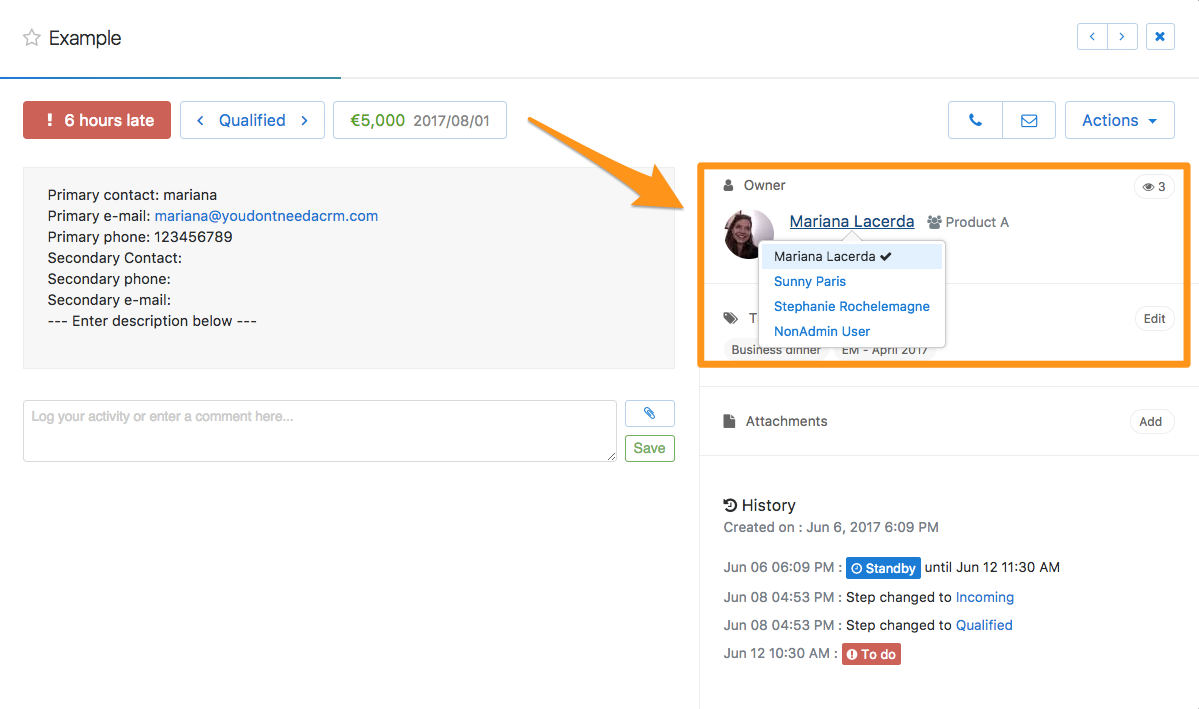
An admin can change the owner of any existing lead by clicking on the menu Actions > Assign to or in the compact view by clicking on the small picture of the lead owner.
Unassigned leads can be found by clicking in the corresponding left bar menu. By default everybody can assign unassigned leads to anybody, unless an admin changes that setting in Admin > Account Settings.
If you have activated the teams feature (Dream Team Edition only!) you can assign an unassigned lead to a team. The team manager will then have the ability to assign the lead to one of its sales reps.